


Paid webinars
Updated May 8, 2026
To offer paid webinars, you need an edudip subscription. Depending on the application, edudip offers suitable packages for coaches, companies, educational institutions and academies who want to offer paid webinars easily, without additional tools and additional effort. In order to be able to offer paid webinars, you must first create a so-called monetization account. To do this, select the “Sales” menu item in the dashboard and then click on “Start verification”. Now select the “company” or “individual” option that applies to you and enter your details. In order for edudip to be able to pay you your webinar income, you need a Stripe account. You are now guided step by step through the setup process. After you have entered all required information, your details will be verified and you will receive an email as soon as your account has been verified.
Important: Your ID card is required for verification, please have it ready.
Please note that it is currently only possible for people and companies based in Germany to use the “Paid Webinars” function.
Creating a paid webinar: Log in to your edudip account and create a paid webinar by selecting the “Revenue” menu item to access the new dashboard. Now select the “Webinars” menu item and click on “Create webinar”. Depending on your subscription, you now have the option to choose a webinar template or configure the webinar yourself.
Basic configuration: Set the title, date, duration, presenter and maximum number of participants, and choose how people can join your webinar.

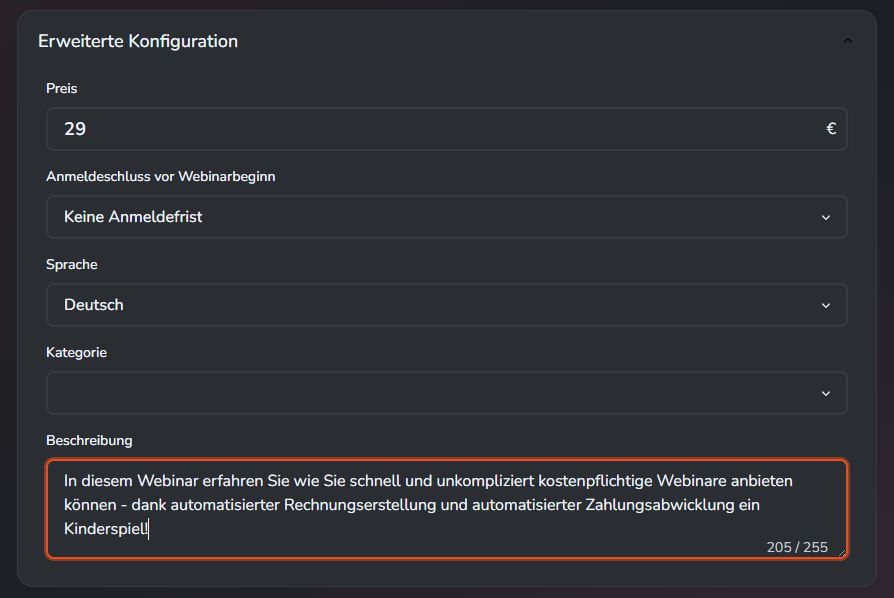
Advanced configuration: You now have complete freedom to customise your event: write a description that clearly highlights the added value, set the registration deadline, and determine the price - and thus the value of your expertise.
Our tip: Base your pricing on your target audience and the nature of your offering. For short introductory webinars or taster sessions, a price starting at €29 is a good option. For specialist training courses or intensive seminars, you can easily charge €199 or more.
As soon as your webinar is online, the rest goes by itself:
- Anyone interested can register and select ‘Pay’
- The preferred payment provider is selected.
- Payment is made directly in the process (currently only via SEPA or credit card)
- The participant automatically receives an invoice
- The organizer receives a notification that participants have registered and can view the transaction under the “Sales” menu item.
The entire payment process is carried out via edudip and Stripe: Invoices are created and sent on your behalf, and refunds are carried out automatically. This saves you the hassle of using external payment providers or manual administration.
For using the integrated payment processing, edudip receives a commission of 5.9% (at least €1) per booking. Clear rules are also defined for cancellations:
- If a webinar is canceled by the organizer, the full amount will be refunded to the participants.
- If a participant cancels himself, a processing fee of 5.95€ will be withheld, the remaining amount will be refunded to the participant.
An overview of all transactions can be found in your “Sales” menu item
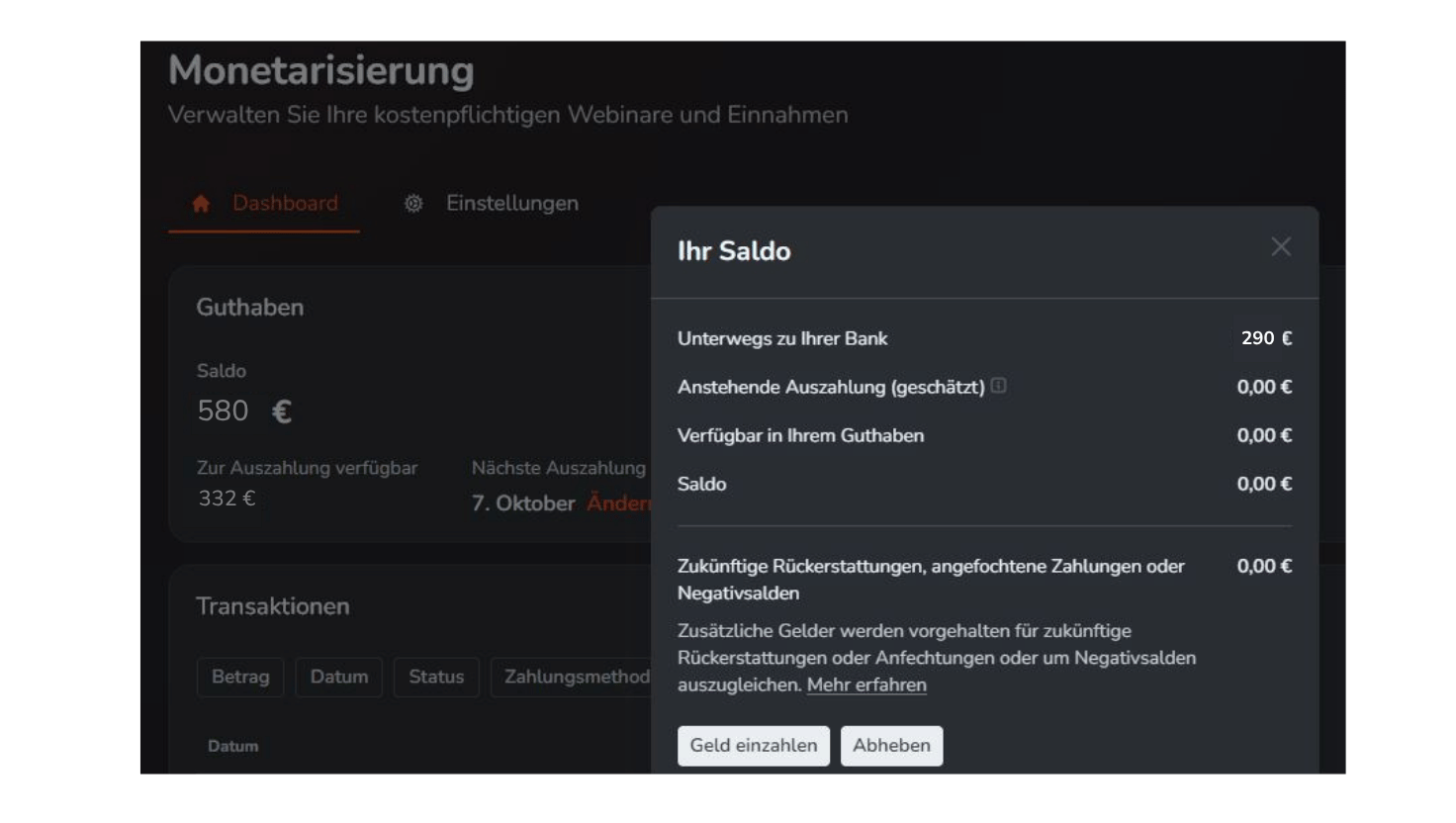
You can decide for yourself when you want to have your income paid out. By default, the amount collected is transferred to your specified account for the first time after seven days. It is then checked daily whether there is further income, which is then also paid out directly. You can also turn off this automated process and collect your funds in your Stripe account first and then request a payout as you please. Your credit is shown in the “Sales” menu item.
The amount shown to you under Credit is the actual payout amount available - commission payments have already been settled here.
Does edudip keep a commission?
Yes, edudip charges a commission of 5.9% per webinar/participant sold, but at least 1, - € per transaction. Compared to standard payment and ticket solutions, this commission is at the low end. It is used exclusively to cover the costs arising from payment processing and provision of the infrastructure. This does not pursue an additional margin in the traditional sense of the word.
Is the price set in the webinar a gross or net price?
The price you set in the webinar is a gross price, i.e. including VAT. The reason for this is that end customers always have to see the final total price on the landing page. However, at the time of creating the webinar, it is not yet known which VAT rate will be applied, as it depends on the buyer's country.
Only during the booking process does the participant enter their country. On this basis, the applicable value added tax is calculated and automatically deducted from the specified gross price. The remaining amount is equal to your net sales.
What rights are required to create a “monetization account”?
You must have administrator rights in your edudip account in order to create it. The account is created once for an account under the “Sales” menu item.
Which payment processors does edudip work with?
When you set up the monetization account, you create an account with our payment processor Stripe.
Can anyone with administrative rights create their own Stripe account?
No, that is not intended. Only one Stripe account can be set up per edudip account.
What company data do I need as an employee if I want to activate monetization for my company?
All relevant data that is relevant to payment processes, such as tax number, company address, etc.
Important: An identification is carried out by Stripe and an identity card is checked for this purpose. This should be from the person who sets up the Stripe account. If it is a company account, the managing director should set up the account.
Can bookings be canceled?
Yes, both a participant and the organizer can “cancel” a booking. Cancellation is equivalent to unsubscribing from a webinar.
From a participant's perspective:
A participant can unsubscribe from the event at any time (but before the webinar date) via the landing page or via the registration confirmation. If a cancellation has been made, Stripe will automatically refund the costs of the event, but with a cancellation fee of €5.95 which will be credited to the organizer.
From an organizer's perspective:
As an organizer, I can deregister individual participants from the event. In this case, Stripe will refund the amount in full and there will be no cancellation fee.
What happens if a participant cancels and the webinar price is below the cancellation fee of €5.95?
If the webinar price is less than €5.95, the entire amount paid will be withheld as a cancellation fee. However, the participant does not have to pay any additional difference.
Can vouchers be created?
It is currently not yet possible to create vouchers. However, the function is already firmly planned and will be available in a future expansion.
Can recordings also be offered via edudip for a fee?
In the current version of paid webinars, only live events can be offered for a fee. However, the option of also being able to monetize recordings is already planned and is part of further development.
Which means of payment can a participant use to pay?
Currently, a participant can pay via SEPA or credit card. Further payment options are being planned.
When did I credit my revenue to my Stripe account?
Credit card payments are usually credited directly to your Stripe account; SEPA payments require up to seven days before they are credited to your account.
When will the payout be made to my bank account?
The first payment is made on an initiative seven days after the first payment has been received. Stripe then checks daily whether further amounts have been credited to your Stripe account and pays them out immediately. Alternatively, you can deactivate this automatic process and decide for yourself when you want to request the payout of your credit.
What happens if the money has already been paid out to me, but the webinar is still taking place and a participant logs off in the meantime?
In this context, Stripe acts like a separate account. As soon as all income from a webinar has been paid out to you and a participant cancels their booking even though the webinar hasn't taken place yet, the corresponding amount will be charged to your Stripe account. This can result in a negative account balance. In this case, Stripe automatically takes over the further processing and management of the negative balance.
When will I receive my statement?
You will receive your statement by email at the end of the month (retroactive to the previous month).
Can I view individual participant invoices and send them to the participant again?
Yes, you can. Participant invoices are linked to the relevant bookings. This allows you to see which participants have made a chargeable booking and which invoice has been issued for it. However, it is not possible to resend them via our tool; you would need to send them manually.
When does the participant receive an invoice?
The participant will receive an invoice by email immediately after booking.
Can the design of the invoice be customized?
This is currently not planned. Legally, edudip acts here as invoicer on behalf of the organizer.
