
Welcome to our new help center!


Create meetings
Updated May 7, 2026
The meeting room is a digital alternative to traditional webinars. It differs in two main ways:
- Registration: The meeting room is accessible without registration, while webinars usually require registration via a landing page.
- Interactivity: In the meeting room, the participant who has been activated with video and sound is in the foreground, which corresponds to the character of an actual meeting.
Explanations:
- Registration: Webinars require registration via a landing page to control the number of participants and to collect information about the participants. This is not necessary in the meeting room, as access is open to everyone.
- Interactivity: The interaction between participants is more pronounced in a meeting room than in webinars. This is due to the fact that every participant is activated with video and sound and can therefore actively participate.
The meeting room is a flexible and interactive alternative to traditional webinars. It is particularly suitable for meetings with a small group of participants where a high level of interaction between participants is required.
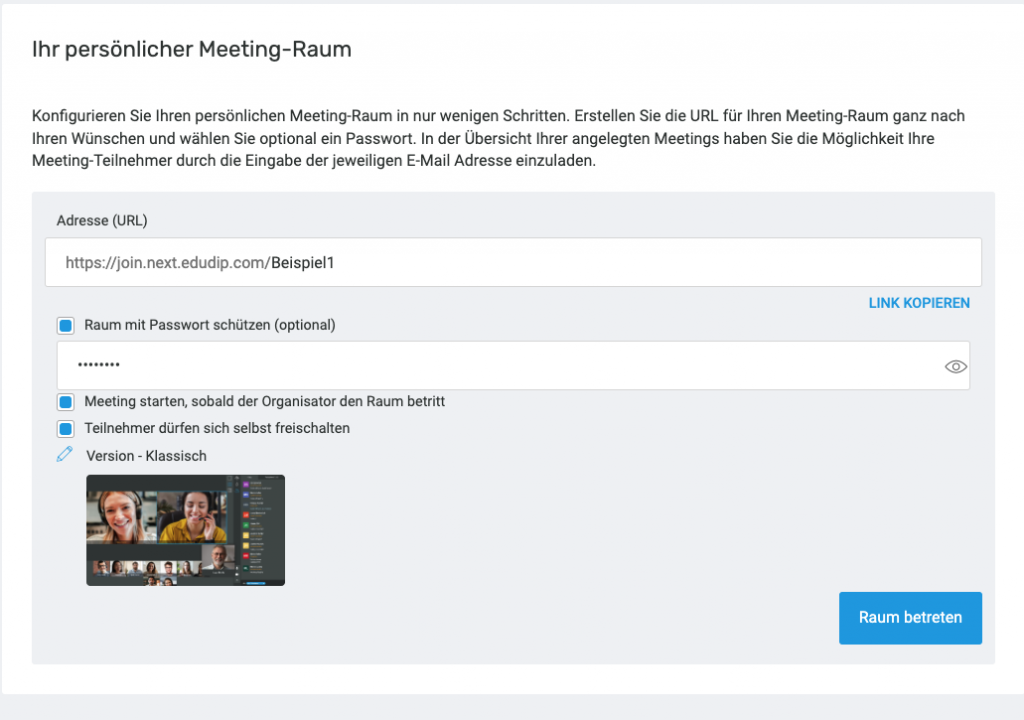
To create a meeting, simply select the date and time, name your meeting, and invite the desired participants.
Participation takes place via an approval link, which is sent via automated e-mail, but can also be shared publicly as an alternative. With this link, your participants can enter the meeting room. The meeting room is designed as an open room that can be entered and left at any time with the approval link. Only the organizer starts the meeting logged in via the meeting management so that the software recognizes the main moderator. All other participants can attend the meeting without prior registration. You can access the meeting simply by clicking on the meeting room link and entering the optional password.
Participation takes place via an approval link, which is sent via automated e-mail, but can also be shared publicly as an alternative. With this link, your participants can enter the meeting room. The meeting room is designed as an open room that can be entered and left at any time with the approval link. Only the organizer starts the meeting logged in via the meeting management so that the software recognizes the main moderator. All other participants can attend the meeting without prior registration. You can access the meeting simply by clicking on the meeting room link and entering the optional password.
