


Managing automated emails
Updated May 6, 2026
Automated standard emails are already preconfigured for your webinars. This includes emails to sign up, reminders before the webinar, and emails after the webinar is over. The templates can be found in the menu on the left under the “Automated Emails” menu item.

These emails contain macros that are automatically filled with the appropriate information. This can include, for example, the webinar title, the date or individual access links.
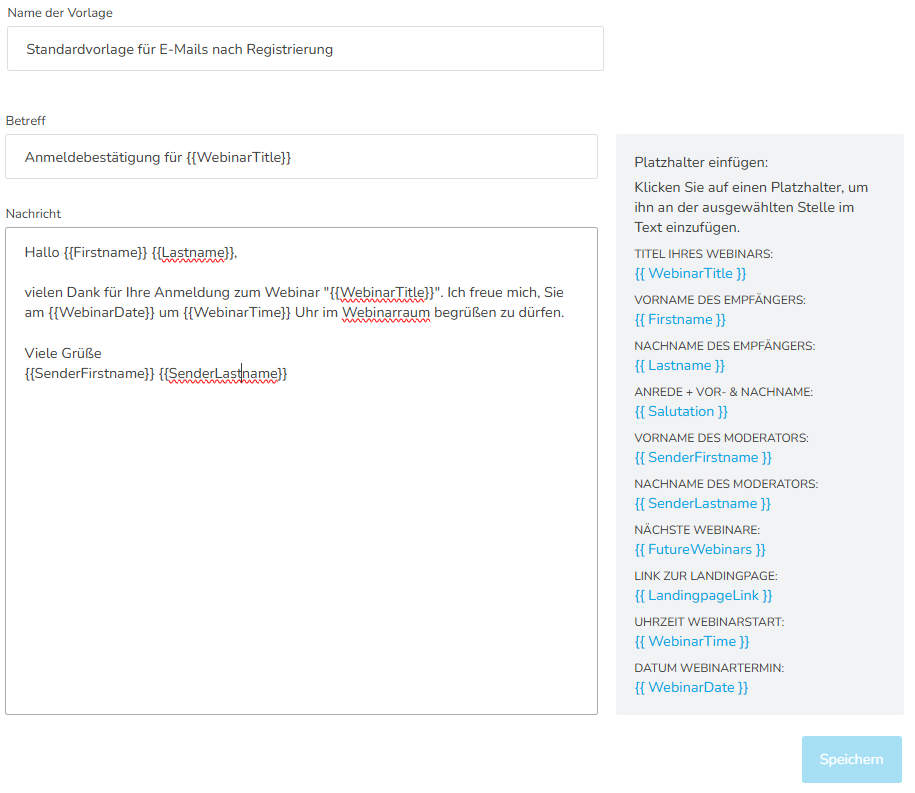
In many cases, the preconfigured standard emails can be used directly, as they are formulated in general terms and already contain the most important information.
As an administrator, you can create your own email templates in the main menu on the left or adapt existing standard templates. The defined standard emails are always used when an individual email template has not been assigned to a webinar.
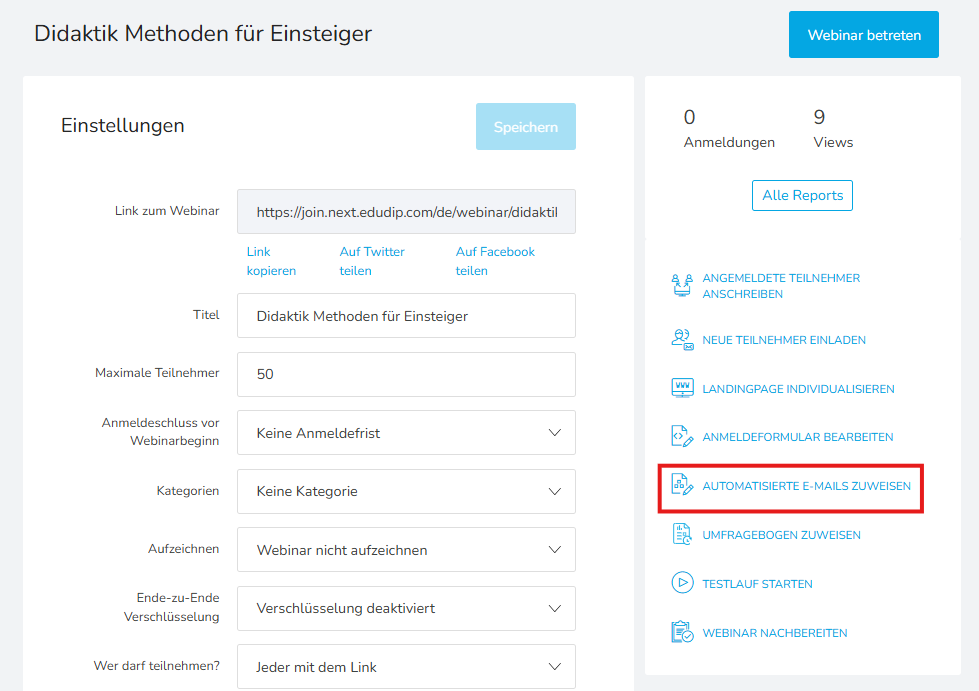
If you have created your own templates, you can assign them to the respective webinar directly during webinar editing. This setting can be found in the right menu within webinar editing.
After you have checked the automated emails, you can adapt the webinar room to your corporate design if necessary.
