


Video playback
Updated May 8, 2026
You have two options for playing a video:
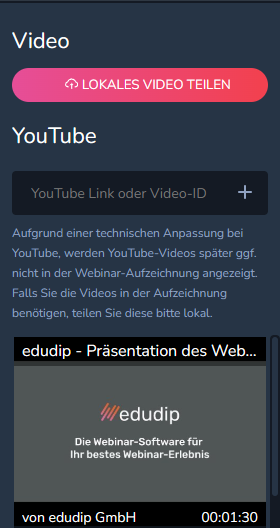
Option 1: With the “SHARE LOCAL VIDEO” button, you can select a video on your local device and stream it live into the room. Only the streaming presenter has full media control.
The presenter who shares the video has control over the volume up to and including mute, he can start specific positions in the video and pause the video. This is synchronized with the participants so that the presenter has control over who sees what.
The viewer can adjust the volume individually for themselves in order to adjust the volume to the individual hardware. A connection indicator at the very bottom right of the video corner gives the viewer information about any connection problems between him and the presenter, and at the bottom left, the participant always sees the name of the person sharing the video.
Option 2 is to integrate videos directly from Youtube. In particular, this has the advantage that the YouTube server creates a direct connection to each participant and can regulate the video quality based on the connection quality of the individual participant to ensure the smoothest possible experience. For more information about this feature, see the appropriate Help center articles.
